T-Dancer
Touch Designer
Product Development
A Motion-Capture powered experience to learn dance through active feedback.
Project Type: Product Development & Motion Tracking
Role: Creative Director & Developer
Tools: TouchDesigner, MediaPipe, Mixamo
Duration: Q3 2025
Strategy
UI/UX
Prototyping
Overview
TDancer is an experience created to help users learn how to dance through motion tracking, which provides feedback on accuracy. While it doesn’t teach the dance itself, it facilitates an environment in which the user can learn through real-time feedback.
Problem and Solution
Tech Ideation
Technology Affordances
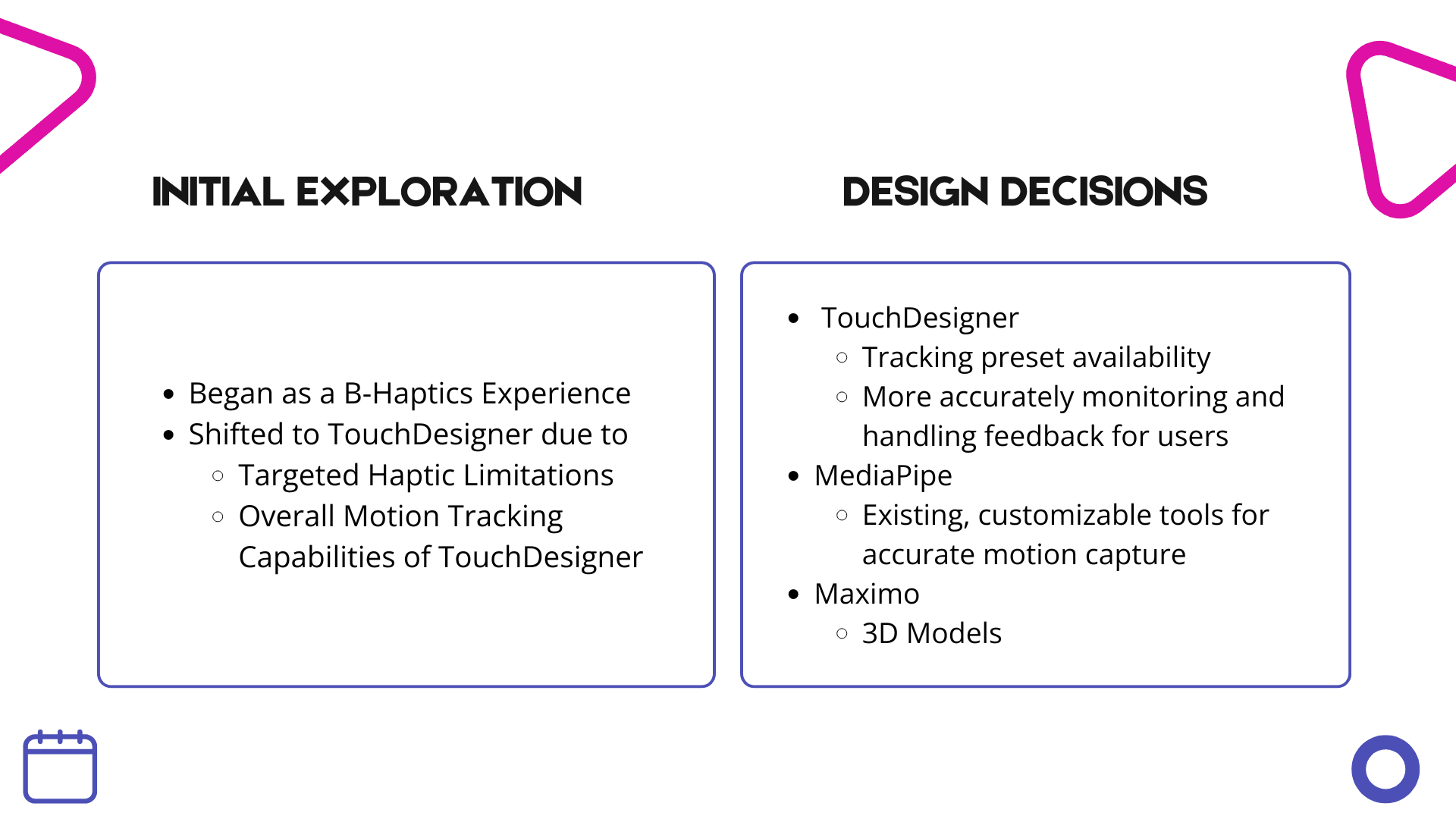
I then compared two technologies to determine
which would most effectively enhance user experience, performance,
and scalability — grounding the final choice in research and strategic alignment.
Technology
Platforms and Tools
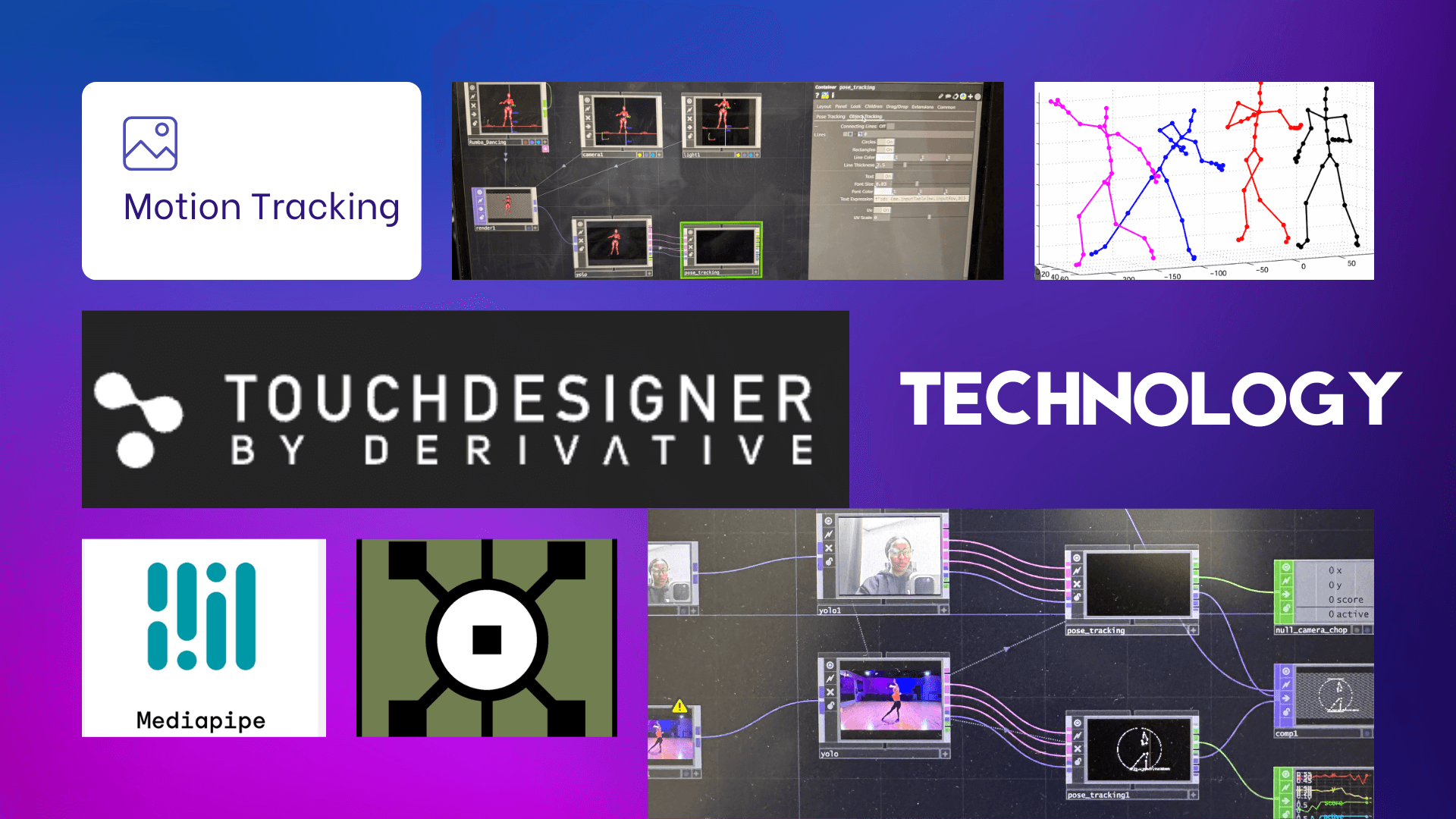
Upon evaluating potential tools to execute the experience,
I finalized the technology medium, choosingTouchDesigner and MediaPipe
as the best tools to drive the experience given real-time motion tracking capabilitites.
Technology Research Methods
Tech Learning Process & Methodology
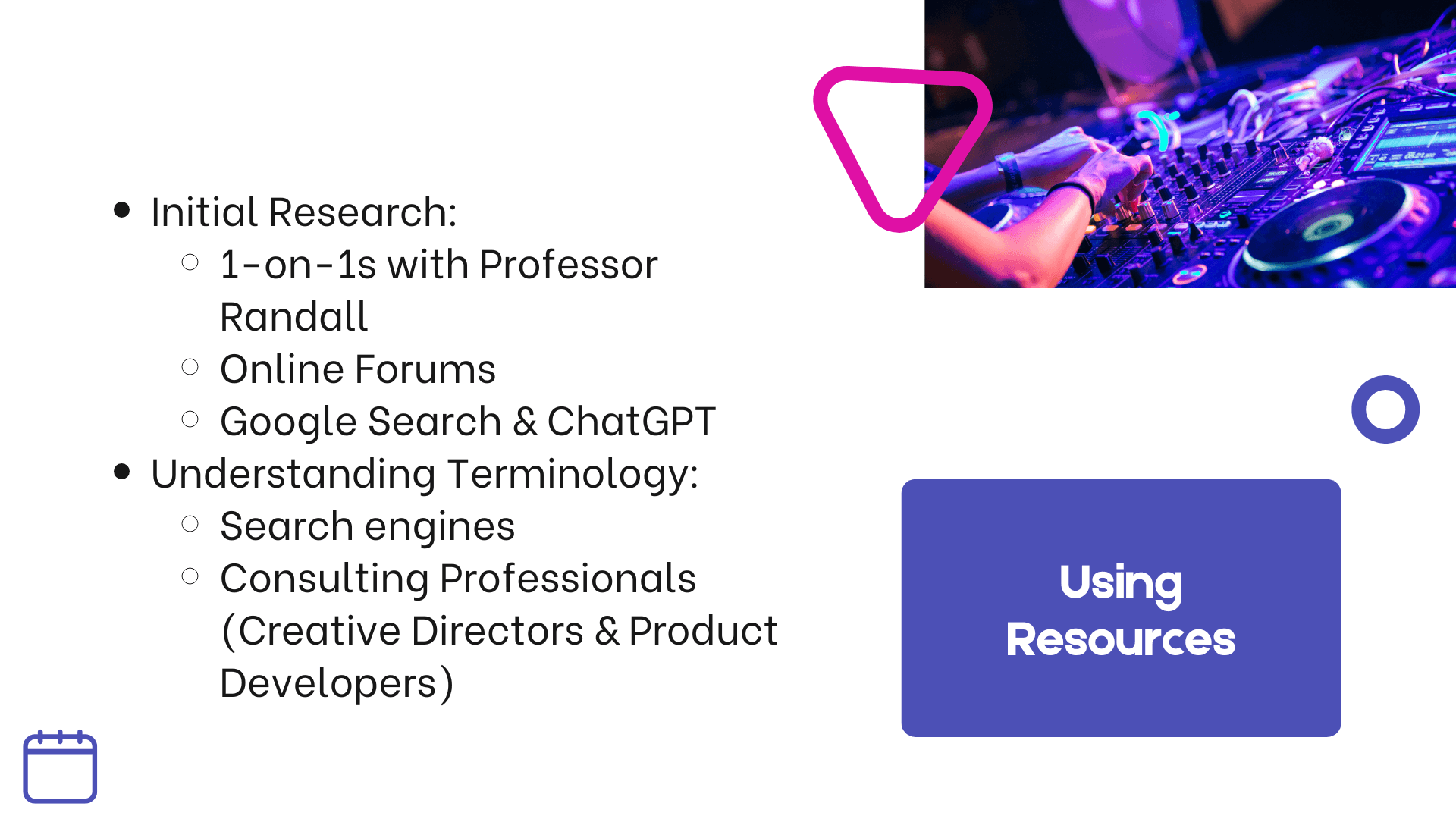
Considering my lack of familiarity with TouchDesigner, I designed
a method by which I can further learn the tool within the given timeframe (1 month).
Project Plan & Task Breakdown
Planning & Execution
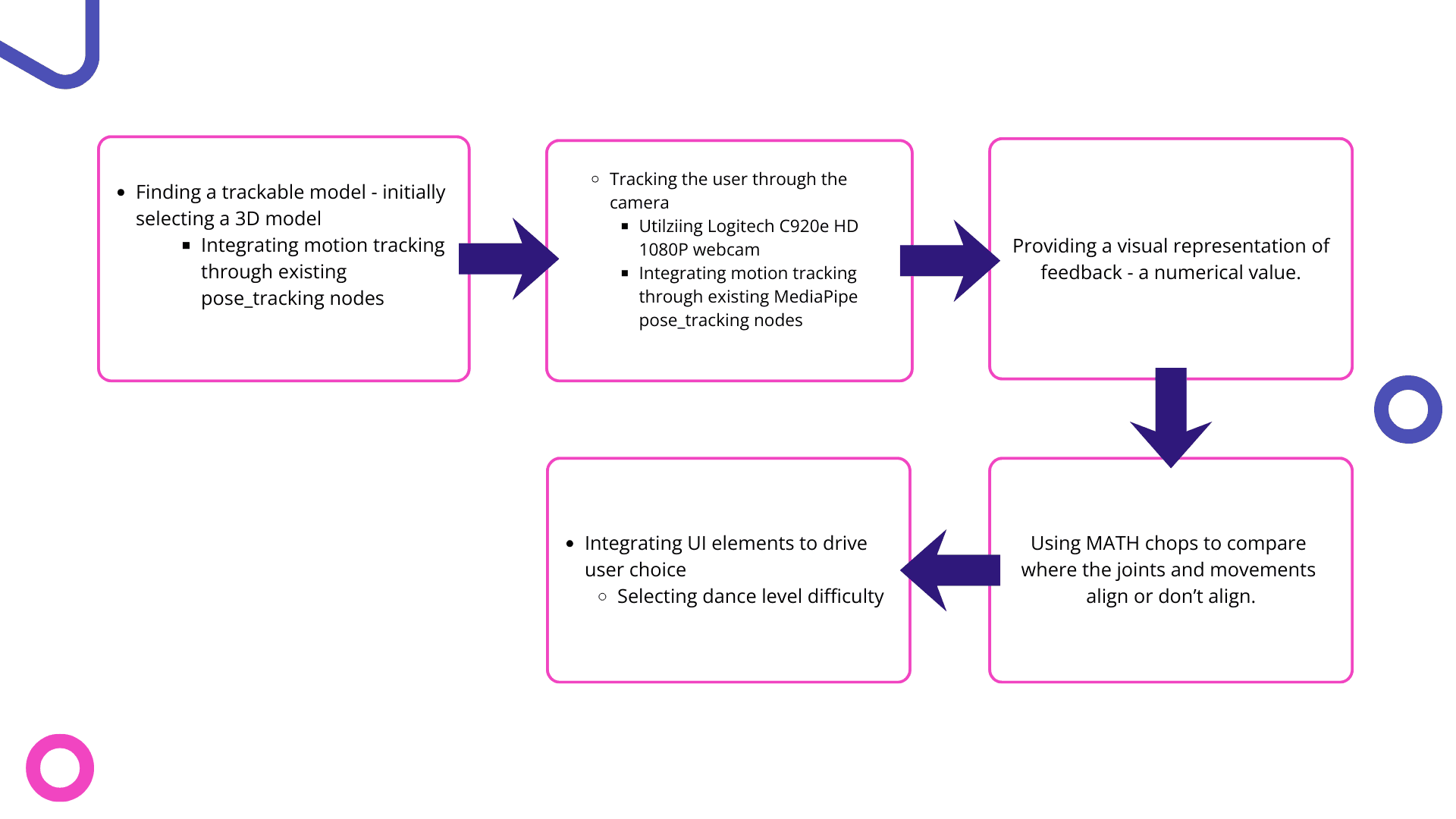
Upon learning the tool, I developed a plan by which I can execute the project -
A step by step guide to the technical elements required for the product to function as envisioned.
Challeneges
Roadblocks of the Initial Product
Upon beginning initial development, I evaluated what worked and didn't work.
What challenges I faced. What needed to be changed.
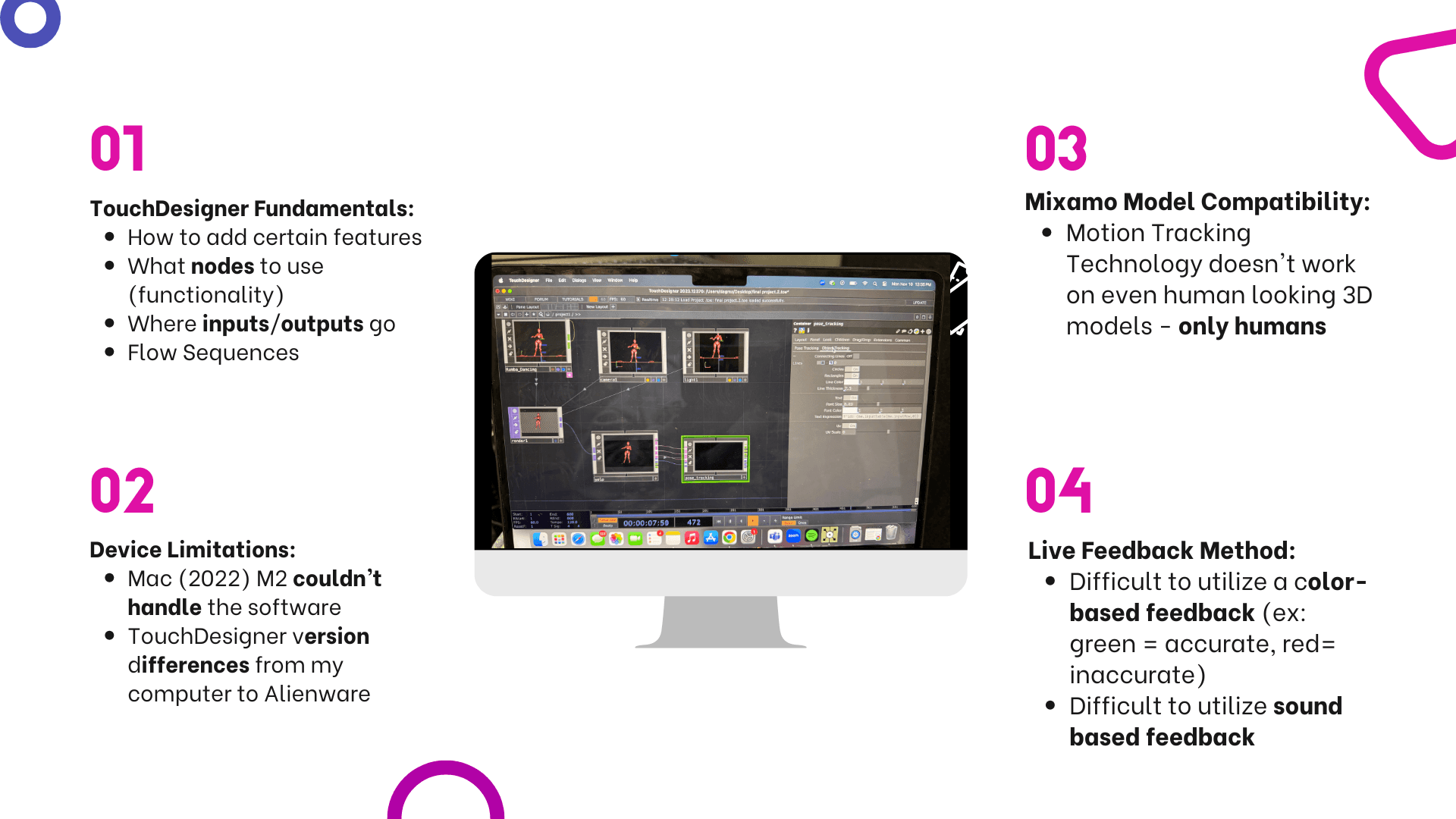
Navigating Roadblocks
In the same manner, I determined potential solutions
to overcome those challenges, targeting each of the above roadblocks.
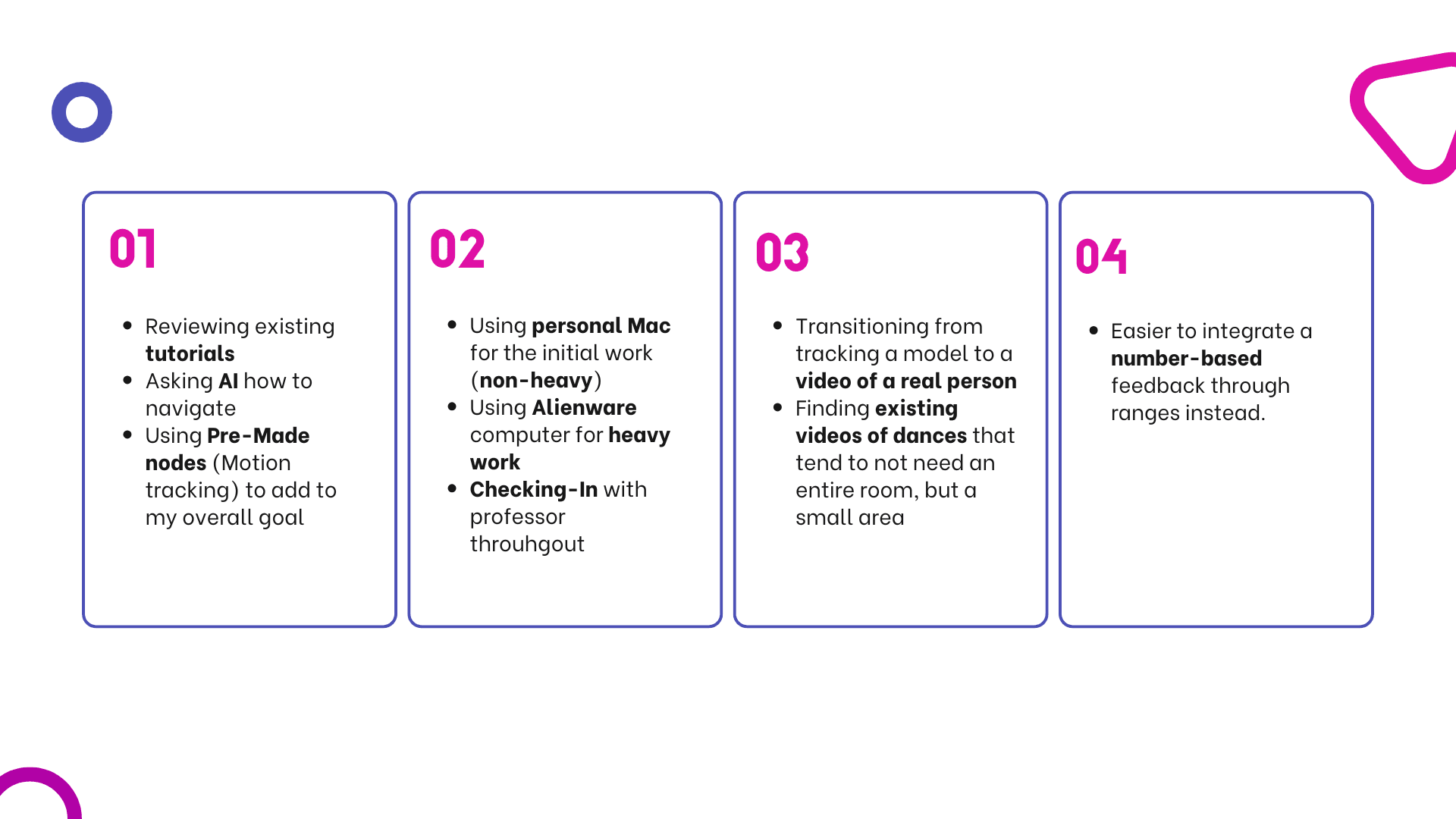
Iteration Methods
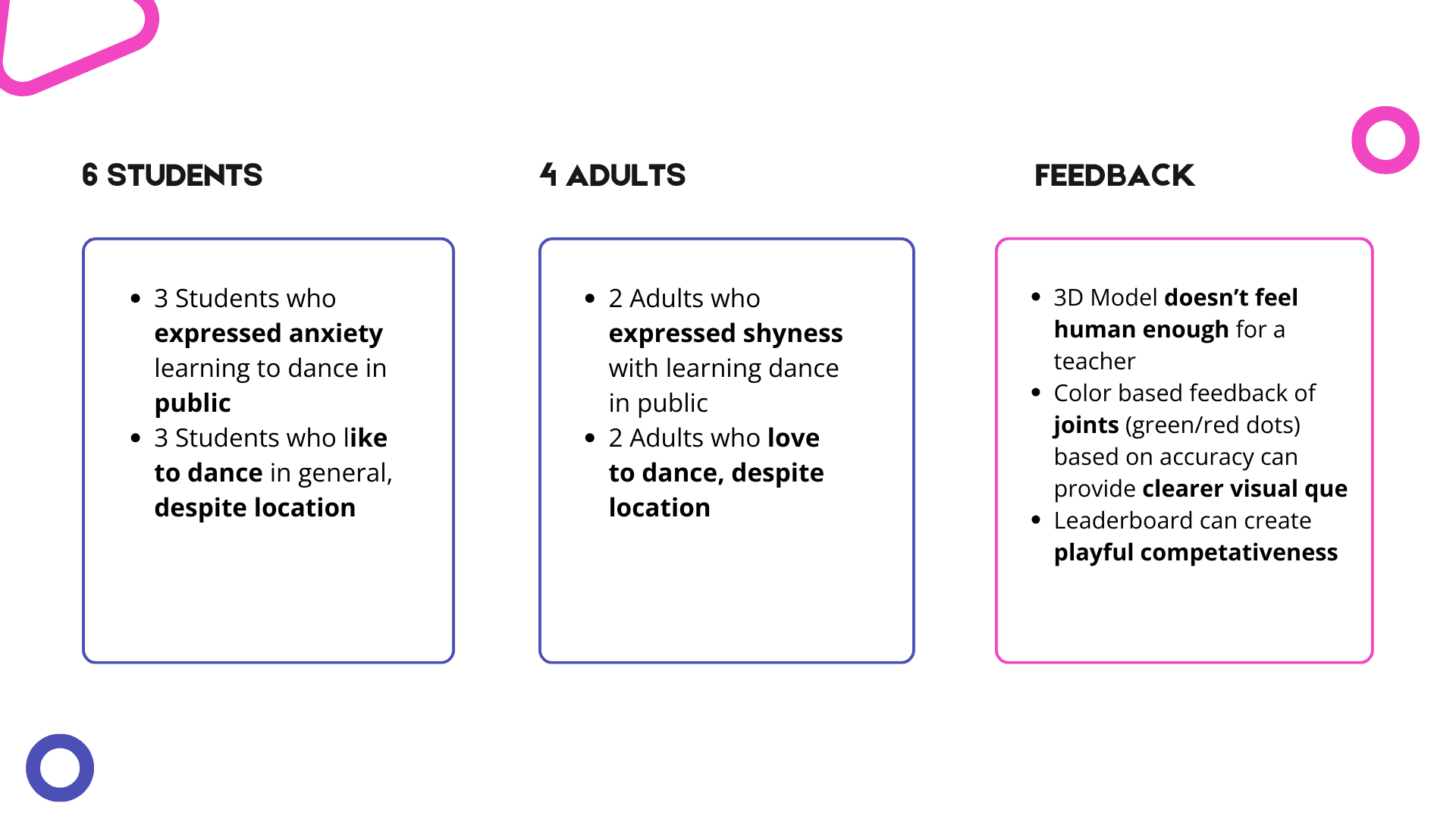
User Testing
Upon improvements, in it's wireframe, low-fidelity stage, I tested the product on target users
to determine which elements they valued and were best to invest time to refine and improve.
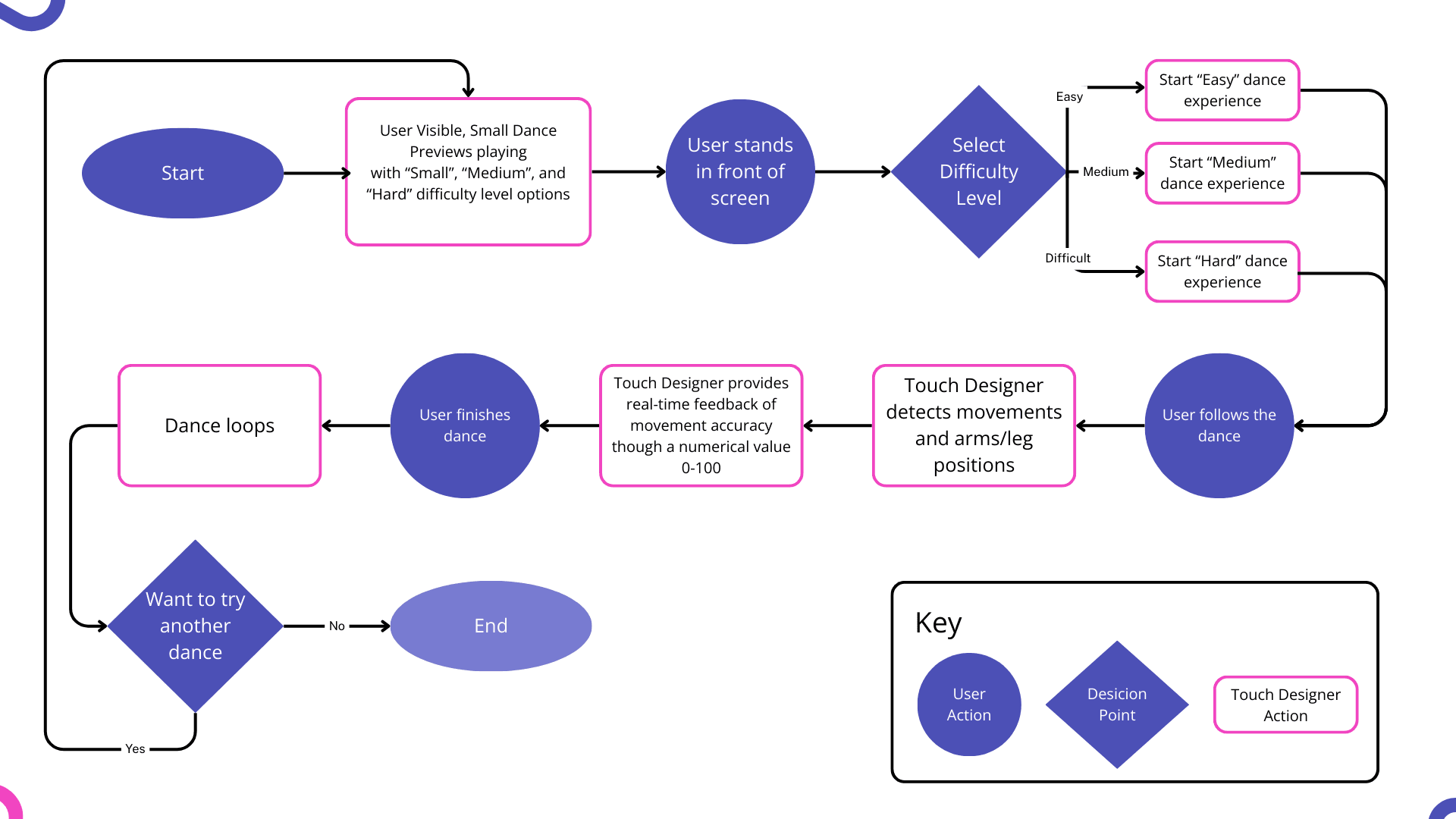
How it works
User Flow
Based on feedback, I established the finalized user flow
which encompasses all of the values I observed from the target users -
•Clear performance indication (numeric)
•User control (selecting levels)
•Humanized (human led video - not 3d model)
Materials
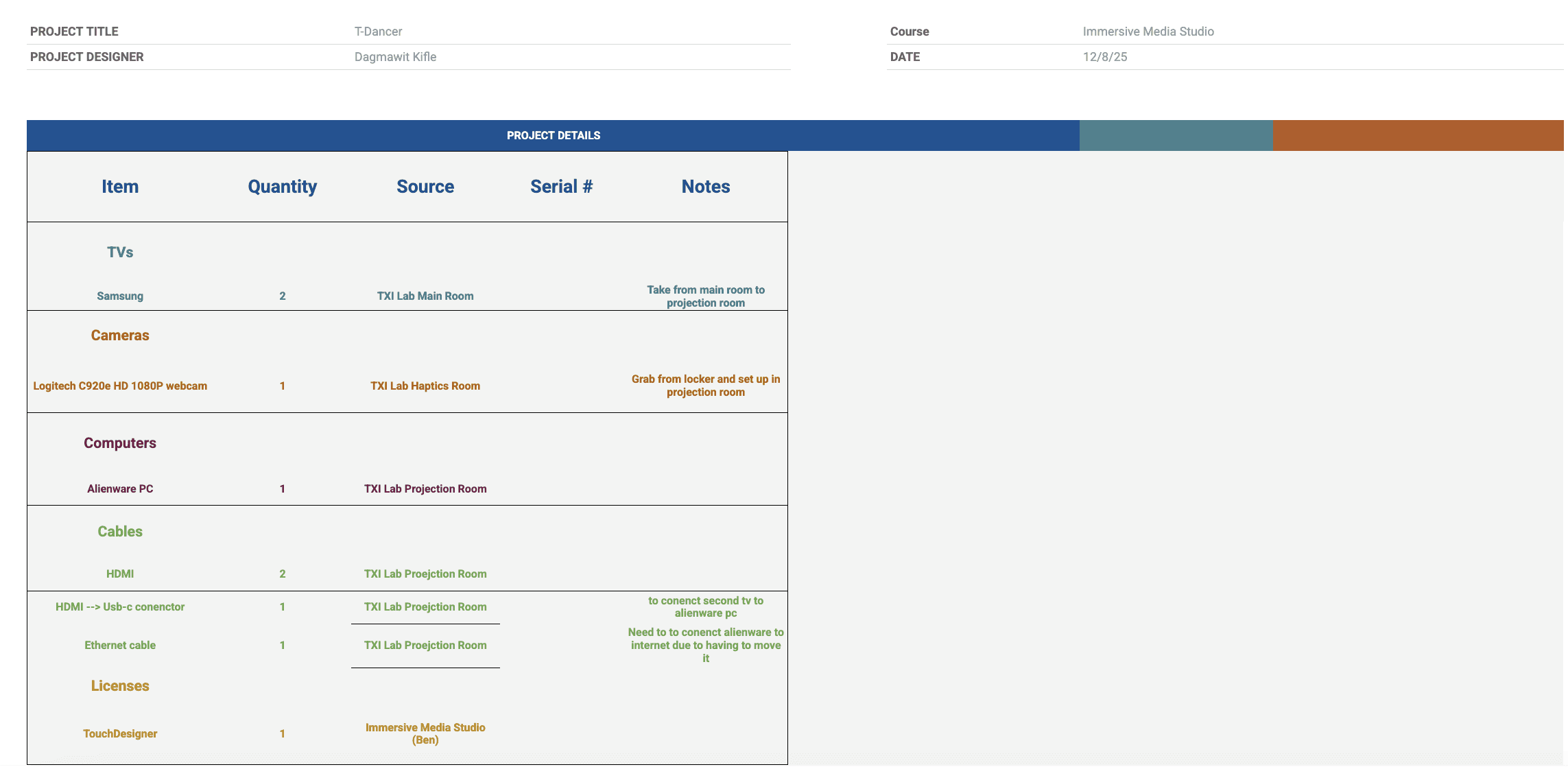
Equipment List
Considering T-Dancer requires various tools and materials,
I created a document which encompasses the required equipment for ease of access.
See it in Action
High Fidelity Prototype
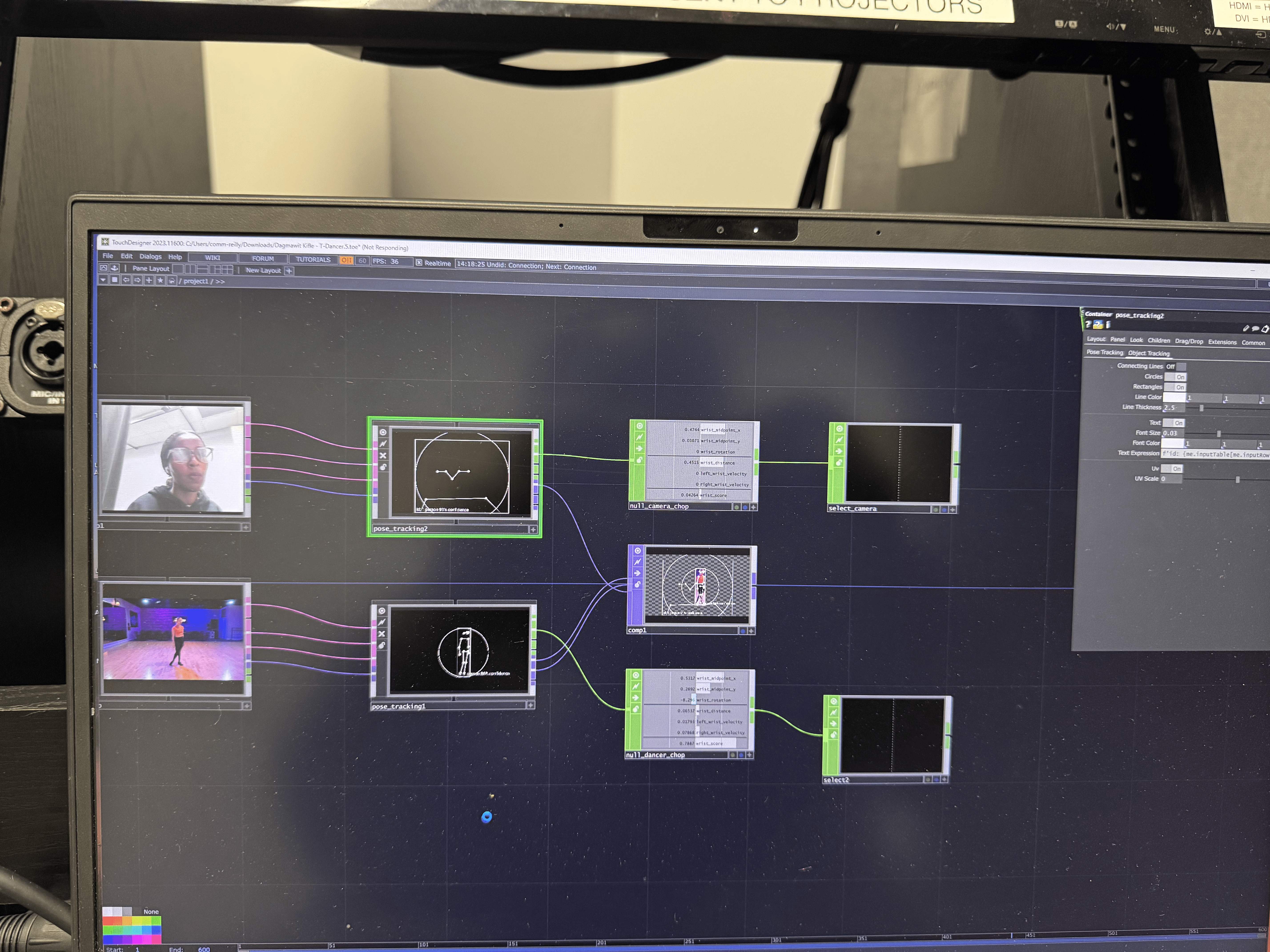
Lastly, I developed a functional, high-fidelity prototype fully realizes the project’s vision,
integrating every system, interaction, and design detail into a cohesive experience.
Due to Touch Designer allowing only editable links, I've provided documentation of the experience in action!
…

Anonymous Student
UT Austin IMS Student
I had so much fun! It feels low-stakes - I feel free when I do the dances. I can do this in private while still getting feedback on my performance - I really value that.
"
Matthew Eastin
Director of Moody College of Communications
I can see this as part of a dance or zumba class - you learn the moves beforehand and come in person perform. It's a great opportunity to learn with freedom and not worry about how others see you in the process.
"
Backend Flow
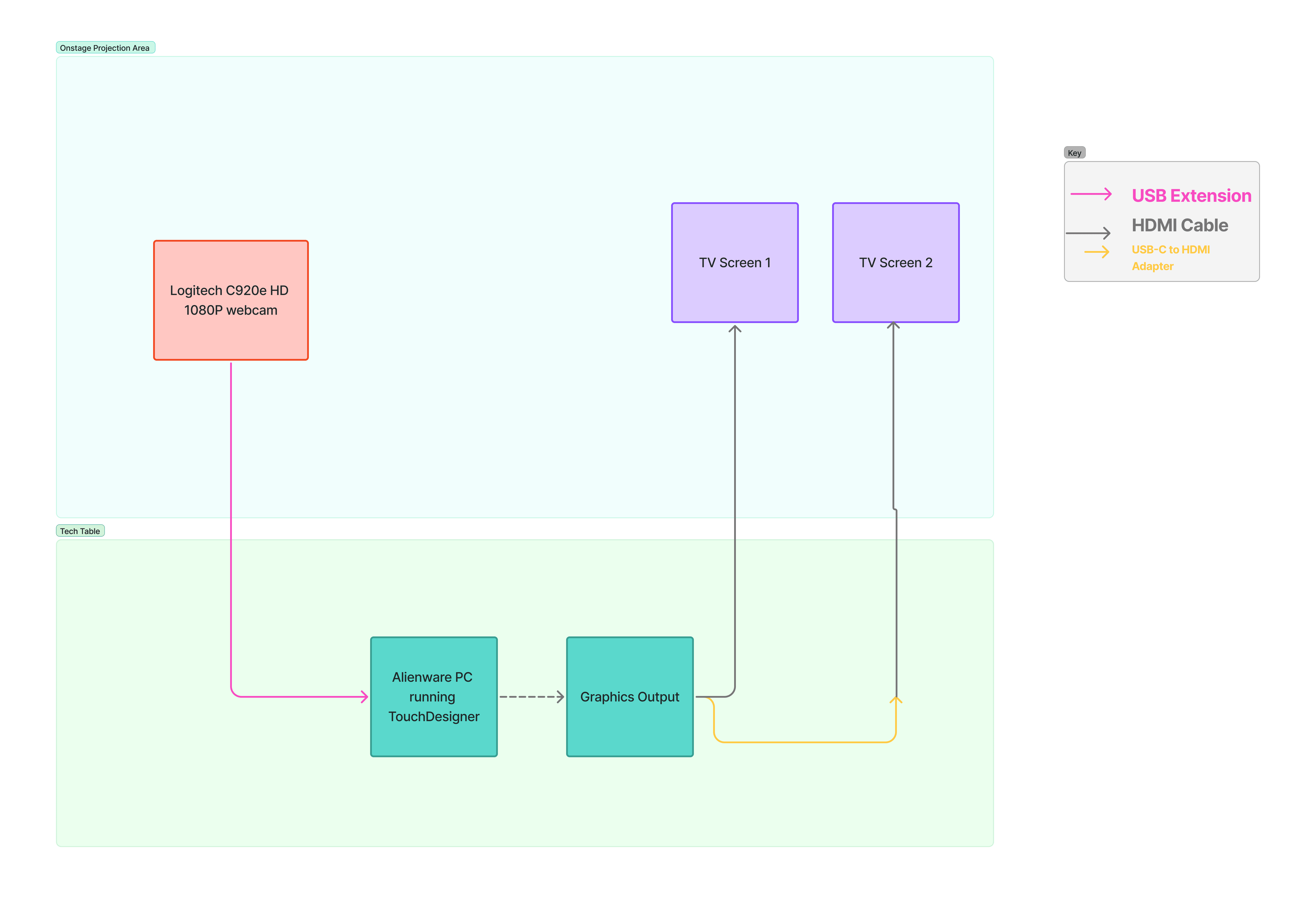
System Diagram & Operation Instructions
As a means to ensure the product can work anywhere,
I developed a system diagram in conjunction with operation instructions,
This way, the product can work as intended, even if others without familiarity load it.
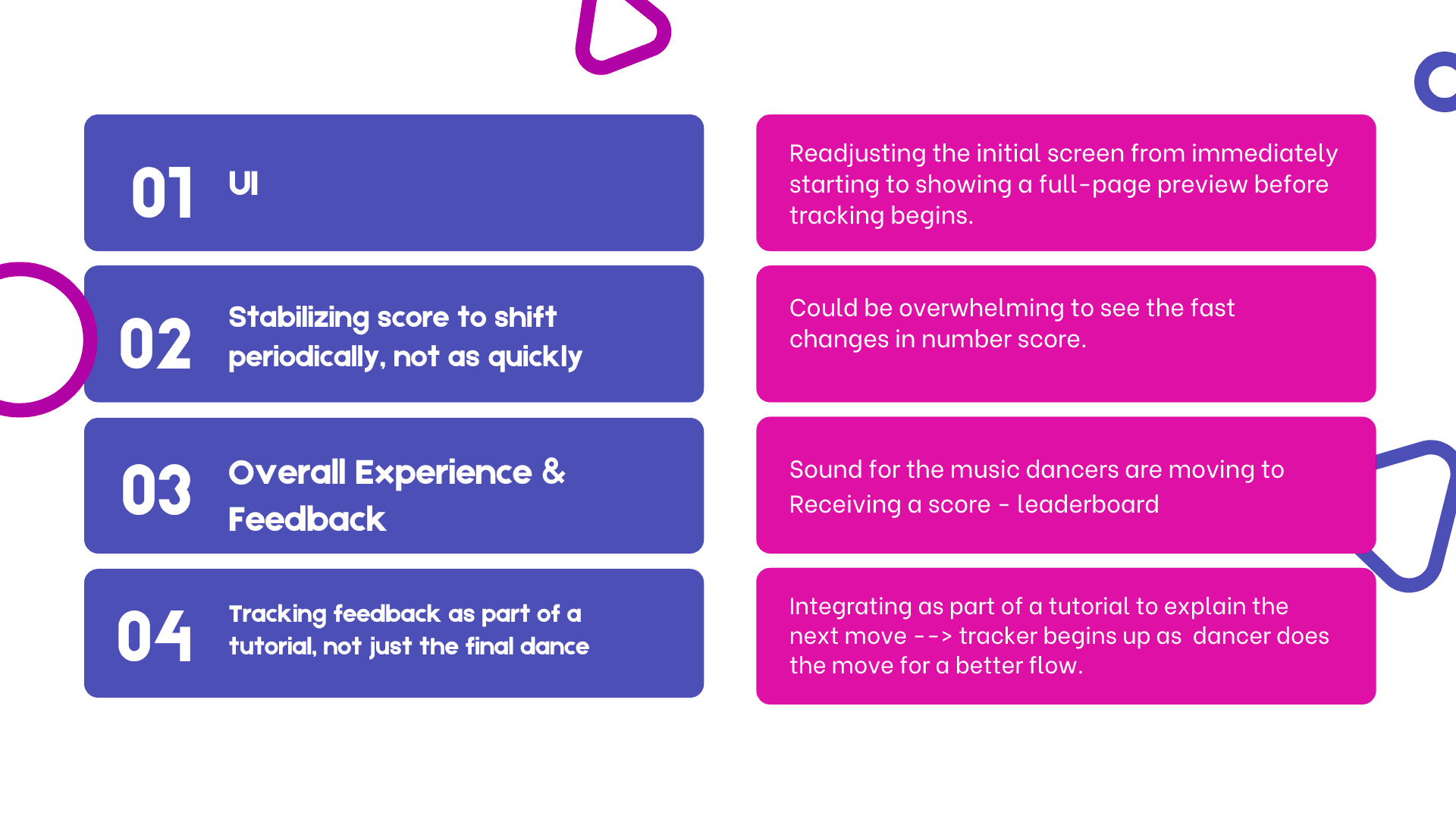
Looking Ahead
Future Iterations
In recognizing areas which could be iterated on,
I examined all of the elements within T-Dancer and created a structured list of
specific points which might be of benefit.